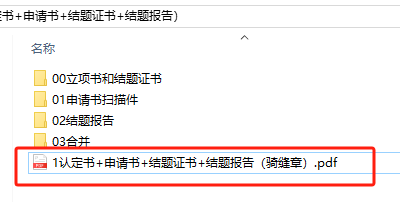
背景需求:
一年一次,高级职称评审开始了。今年保教主任(副园长)去参评。因为2022年我也去参加过,所以积极参加资料准备。

第一步是论文鉴定。结果要求上传
1、专家评审用的:没有个人信息的电子docx转pdf
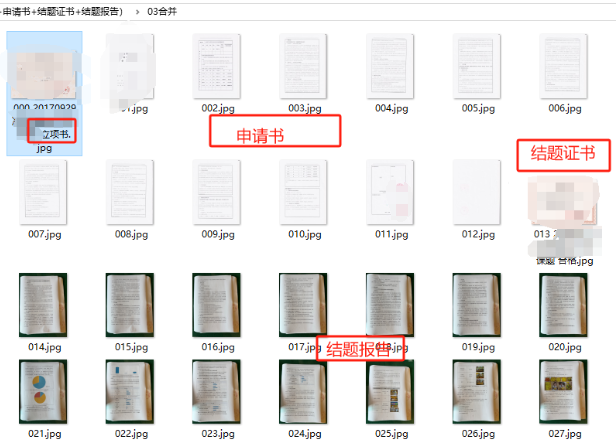
2、佐证材料:认定书(纸张扫描jpg)+申请书(电子docx打印后扫描jpg)+结题书(纸张扫描jpg)+结题报告(电子docx单面打印后,铺平,盖骑缝章(公章),拍照jpg)
3、非独鉴定表。
其中第2项,是2023年新出来的政策。全部都需要图片。
我原来使用Adobe arcbatDC组合图片

但是今天再用,发现每张图片转成PDF,是一个包,没法变成一个PDF。
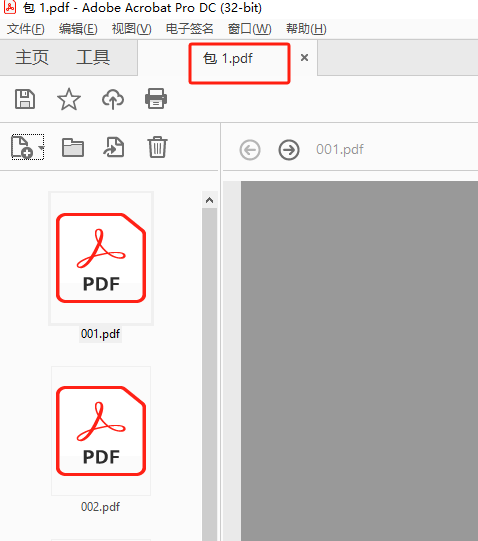
问了deepseek,可能不是会员,某些功能不能使用。
解决策略
请deepseek写一下图片合并的代码
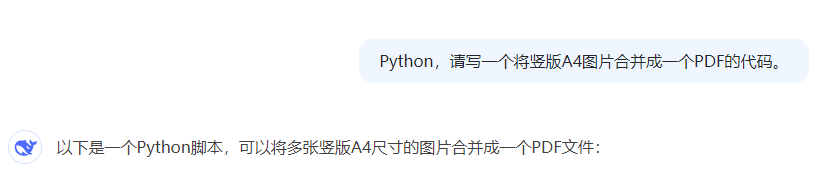





经过五次测试,实现了我想要的效果
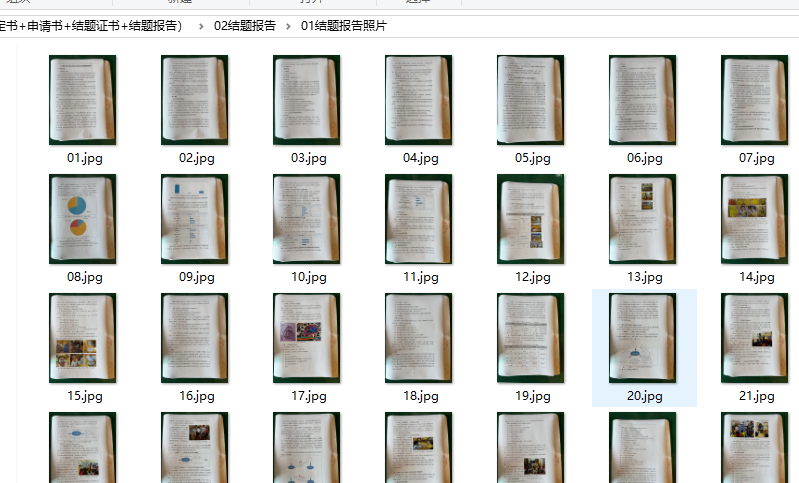
为了把结题报告的照片也加入。需要重新编号,从014开始


最后代码:

1、编号,把01变成014
'''
结题报告拍照的图片重新编号,从014开始
deepseek,阿夏
20250612
'''import os
import shutildef renumber_images(source_folder, target_folder, prefix='', start_num=1, digit_count=3):"""重新编号图片并保存到目标文件夹参数:source_folder: 源图片文件夹路径target_folder: 目标文件夹路径prefix: 新文件名前缀(可选)start_num: 起始编号(默认为1)digit_count: 编号位数(默认为3,如001)"""# 获取文件夹中所有jpg文件(不区分大小写)jpg_files = [f for f in os.listdir(source_folder) if f.lower().endswith('.jpg')]if not jpg_files:print(f"文件夹 {source_folder} 中没有找到jpg图片")return# 按文件名排序jpg_files.sort()# 创建目标文件夹(如果不存在)os.makedirs(target_folder, exist_ok=True)print(f"开始处理,共 {len(jpg_files)} 张图片...")print(f"源文件夹: {source_folder}")print(f"目标文件夹: {target_folder}\n")# 复制并重命名文件for i, filename in enumerate(jpg_files, start=start_num):src_path = os.path.join(source_folder, filename)# 生成新文件名new_name = f"{prefix}{i:0{digit_count}d}.jpg"dst_path = os.path.join(target_folder, new_name)# 复制文件(保留原始文件)shutil.copy2(src_path, dst_path)print(f"处理: {filename} → {new_name}")print(f"\n处理完成!文件已保存到 {target_folder}")print(f"编号从 {start_num:0{digit_count}d} 开始")if __name__ == "__main__":# 基础路径base_path = r'C:\Users\Administrator\Desktop\20250613课题鉴定-证明材料(认定书+申请书+结题证书+结题报告)'# 路径设置source_folder = os.path.join(base_path, "02结题报告", "01结题报告照片")target_folder = os.path.join(base_path, "02结题报告", "02结题报告照片")  # 保存到234文件夹# 检查路径是否存在if not os.path.exists(source_folder):print(f"错误: 源文件夹不存在 {source_folder}")else:renumber_images(source_folder=source_folder,target_folder=target_folder,prefix='',        # 文件名前缀start_num=14,      # 起始编号digit_count=3     # 编号位数)
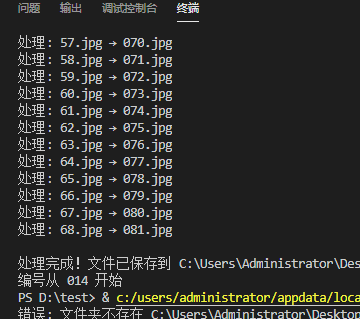
结果是014开始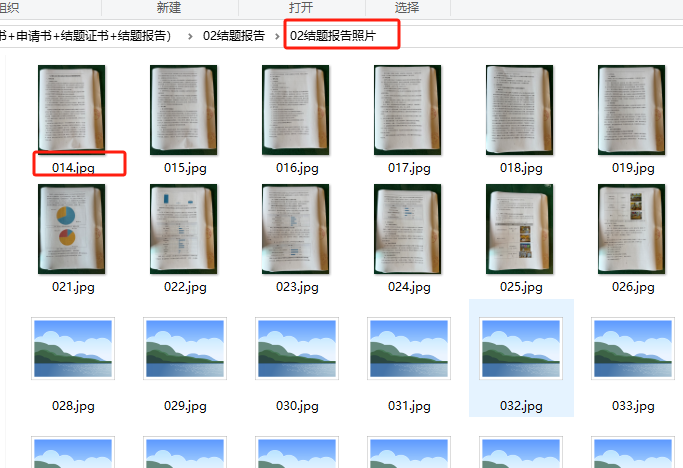
合并所有图片,需要考虑图片横版还是竖版
'''
鉴定的课题的佐证材料,全部是图片(横版竖版),合并成一个PDF
deepseek,阿夏
20250612
'''import os
from PIL import Image, ImageOps
from fpdf import FPDF
import tempfiledef get_correct_orientation(img):"""获取图片的正确方向,考虑EXIF方向标签"""try:exif = img._getexif()if exif:orientation = exif.get(0x0112)# 如果图片需要旋转(方向标签为6或8),则视为横向if orientation in [6, 8]:return Trueexcept:pass# 默认根据宽高比判断return img.width > img.heightdef images_to_highres_pdf(input_folder, output_pdf, dpi=300, img_extensions=('jpg', 'jpeg', 'png')):"""将文件夹中的高清图片合并成一个高质量PDF文件(智能识别方向)"""# 获取图片文件image_files = sorted([os.path.join(input_folder, f) for f in os.listdir(input_folder) if f.lower().endswith(img_extensions)])if not image_files:print("没有找到图片文件")returnwith tempfile.TemporaryDirectory() as temp_dir:processed_images = []for idx, img_path in enumerate(image_files):try:with Image.open(img_path) as img:# 自动旋转图片(根据EXIF方向)img = ImageOps.exif_transpose(img)# 转换为RGBif img.mode != 'RGB':img = img.convert('RGB')# 确定最终方向is_landscape = img.width > img.height# 临时保存temp_path = os.path.join(temp_dir, f"temp_{idx}.jpg")img.save(temp_path, "JPEG", quality=95, dpi=(dpi, dpi))processed_images.append((temp_path, is_landscape))print(f"处理: {os.path.basename(img_path)} → {'横向' if is_landscape else '纵向'} "f"({img.width}×{img.height}px)")except Exception as e:print(f"处理 {img_path} 出错: {e}")if not processed_images:print("没有有效图片")returnpdf = FPDF(unit="mm")pdf.set_compression(False)for img_path, is_landscape in processed_images:try:# 添加适当方向的页面pdf.add_page(orientation='L' if is_landscape else 'P')# 获取页面实际尺寸(单位:mm)page_width, page_height = (297, 210) if is_landscape else (210, 297)# 计算图片显示尺寸(保持比例)with Image.open(img_path) as img:img_width_mm = img.width * 25.4 / dpiimg_height_mm = img.height * 25.4 / dpiscale = min(page_width/img_width_mm, page_height/img_height_mm)display_w = img_width_mm * scaledisplay_h = img_height_mm * scale# 居中放置x = (page_width - display_w) / 2y = (page_height - display_h) / 2pdf.image(img_path, x=x, y=y, w=display_w)print(f"添加: {os.path.basename(img_path)} → {'横向' if is_landscape else '纵向'}")except Exception as e:print(f"添加 {img_path} 出错: {e}")pdf.output(output_pdf)print(f"\nPDF生成成功: {output_pdf}")print(f"总页数: {len(processed_images)} | DPI: {dpi}")if __name__ == "__main__":path =   r'C:\Users\Administrator\Desktop\20250613课题鉴定-证明材料(认定书+申请书+结题证书+结题报告)'input_folder = os.path.join(path, "03合并")output_pdf = os.path.join(path, "认定书+申请书+结题证书+结题报告(骑缝章).pdf")if os.path.exists(input_folder):images_to_highres_pdf(input_folder, output_pdf, dpi=300)else:print(f"错误: 文件夹不存在 {input_folder}")
手机拍照的结题报告(骑缝章)的照片的比较大
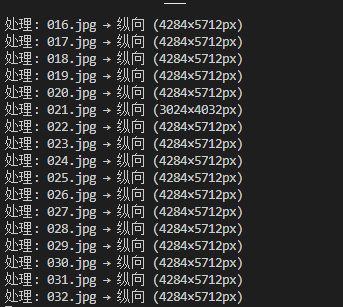
到最后就会合并PDF,需要很长时间,
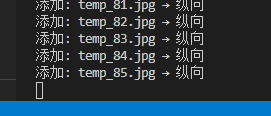
大约5分钟后完成
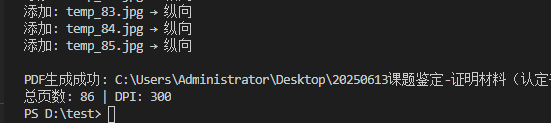
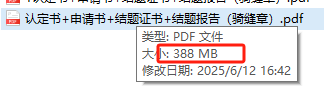
容量大,因为手机拍照的图片比较大
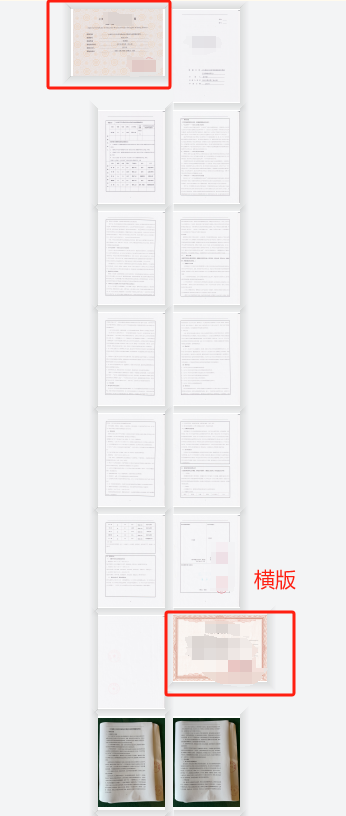
PDF里面横版图片显示为横版,竖版的显示为竖版
感悟:
用deepseek实现了以前用购买软件才能实现的办公需求(格式工厂转音频格式、图片工具批处理图片等),它快速撰写编程代码,降低技术门槛,提高工作效率。让普通人也获得了人工智能的红利。
20250617说证明材料太大了。

的确。用95的高清质量,结果就是260MB,虽然能上传,但是速度很慢
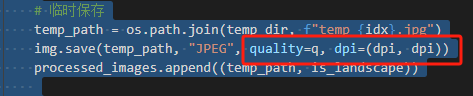
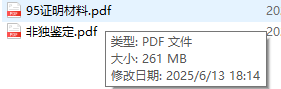
把图片质量的数字提出来,逐步缩小数字
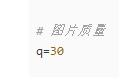
代码展示
'''
鉴定的课题的佐证材料,全部是图片(横版竖版),合并成一个PDF,图片质量数字变小
deepseek,阿夏
20250617'''import os
from PIL import Image, ImageOps
from fpdf import FPDF
import tempfile# 图片质量
q=30def get_correct_orientation(img):"""获取图片的正确方向,考虑EXIF方向标签"""try:exif = img._getexif()if exif:orientation = exif.get(0x0112)# 如果图片需要旋转(方向标签为6或8),则视为横向if orientation in [6, 8]:return Trueexcept:pass# 默认根据宽高比判断return img.width > img.heightdef images_to_highres_pdf(input_folder, output_pdf, dpi=300, img_extensions=('jpg', 'jpeg', 'png')):"""将文件夹中的高清图片合并成一个高质量PDF文件(智能识别方向)"""# 获取图片文件image_files = sorted([os.path.join(input_folder, f) for f in os.listdir(input_folder) if f.lower().endswith(img_extensions)])if not image_files:print("没有找到图片文件")returnwith tempfile.TemporaryDirectory() as temp_dir:processed_images = []for idx, img_path in enumerate(image_files):try:with Image.open(img_path) as img:# 自动旋转图片(根据EXIF方向)img = ImageOps.exif_transpose(img)# 转换为RGBif img.mode != 'RGB':img = img.convert('RGB')# 确定最终方向is_landscape = img.width > img.height# 临时保存temp_path = os.path.join(temp_dir, f"temp_{idx}.jpg")img.save(temp_path, "JPEG", quality=q, dpi=(dpi, dpi))processed_images.append((temp_path, is_landscape))print(f"处理: {os.path.basename(img_path)} → {'横向' if is_landscape else '纵向'} "f"({img.width}×{img.height}px)")except Exception as e:print(f"处理 {img_path} 出错: {e}")if not processed_images:print("没有有效图片")returnpdf = FPDF(unit="mm")pdf.set_compression(False)for img_path, is_landscape in processed_images:try:# 添加适当方向的页面pdf.add_page(orientation='L' if is_landscape else 'P')# 获取页面实际尺寸(单位:mm)page_width, page_height = (297, 210) if is_landscape else (210, 297)# 计算图片显示尺寸(保持比例)with Image.open(img_path) as img:img_width_mm = img.width * 25.4 / dpiimg_height_mm = img.height * 25.4 / dpiscale = min(page_width/img_width_mm, page_height/img_height_mm)display_w = img_width_mm * scaledisplay_h = img_height_mm * scale# 居中放置x = (page_width - display_w) / 2y = (page_height - display_h) / 2pdf.image(img_path, x=x, y=y, w=display_w)print(f"添加: {os.path.basename(img_path)} → {'横向' if is_landscape else '纵向'}")except Exception as e:print(f"添加 {img_path} 出错: {e}")pdf.output(output_pdf)print(f"\nPDF生成成功: {output_pdf}")print(f"总页数: {len(processed_images)} | DPI: {dpi}")if __name__ == "__main__":path =   r'C:\Users\Administrator\Desktop\20250613课题鉴定-证明材料(认定书+申请书+结题证书+结题报告)'input_folder = os.path.join(path, "03合并")output_pdf = os.path.join(path, f"{q}证明材料.pdf")if os.path.exists(input_folder):images_to_highres_pdf(input_folder, output_pdf, dpi=300)else:print(f"错误: 文件夹不存在 {input_folder}")
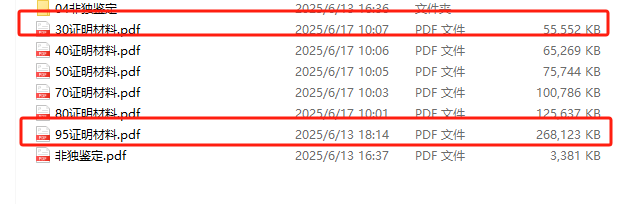
图片质量的数字越大,MB越大,生成速度慢;数字越小,MB越小。生成速度也快,
但是也不能太小,30时图片上文字已经有点模糊了,但还是能看清



:容器存储接口 CSI)


