
一、细微变化
由vue2的选项式变成了组合式,但是vue3可以写vue2的写法
并且vue3不必要只有一个根组件了
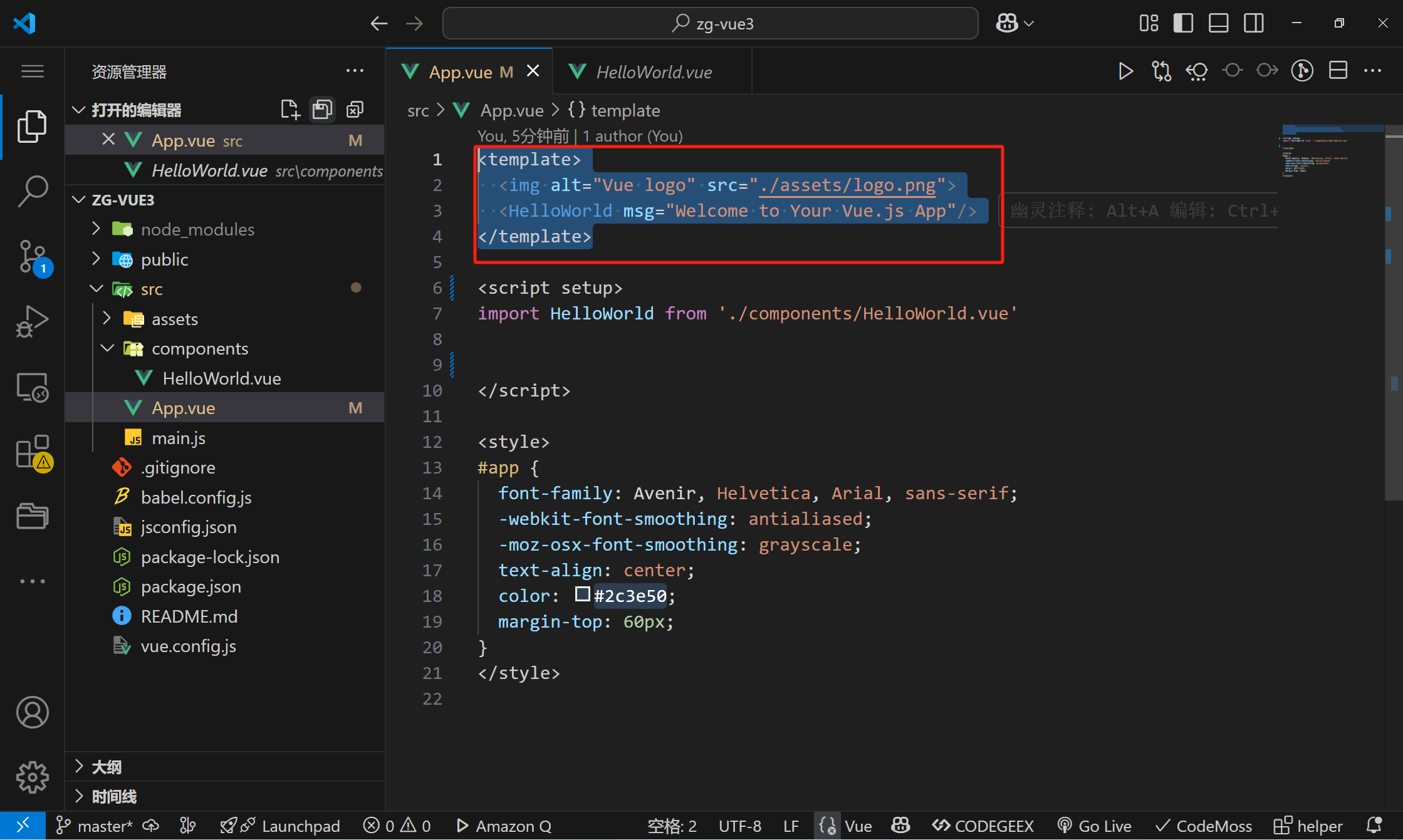
可以这样定义组合式
export default {name: 'App',components: {HelloWorld}setup(){}
}
也可以这样定义(一般推荐这种),这个setup属性是专为组合式API提供的语法糖
<script setup>
import HelloWorld from './components/HelloWorld.vue'export default {name: 'App',components: {HelloWorld}}
二、相关语法
1、reactive和shallowReactive(主要处理对象类型)
shallowReactive和Reactive都是vue.js中的响应式AP!。Reactive用于将对象转换为响应式对象,使其具有自动追踪依赖项和触发更新的能力。而shallowReactive只会让对象的第一层属性具有响应式能力,而不会递归地将嵌套属性转换为响应式对象。这意味着如果对象具有嵌套属性,shallowReactive只会在第一层级别上自动追踪更改,而不会递归地监视内部更改。
reactive能改变age和friends里的二级数据
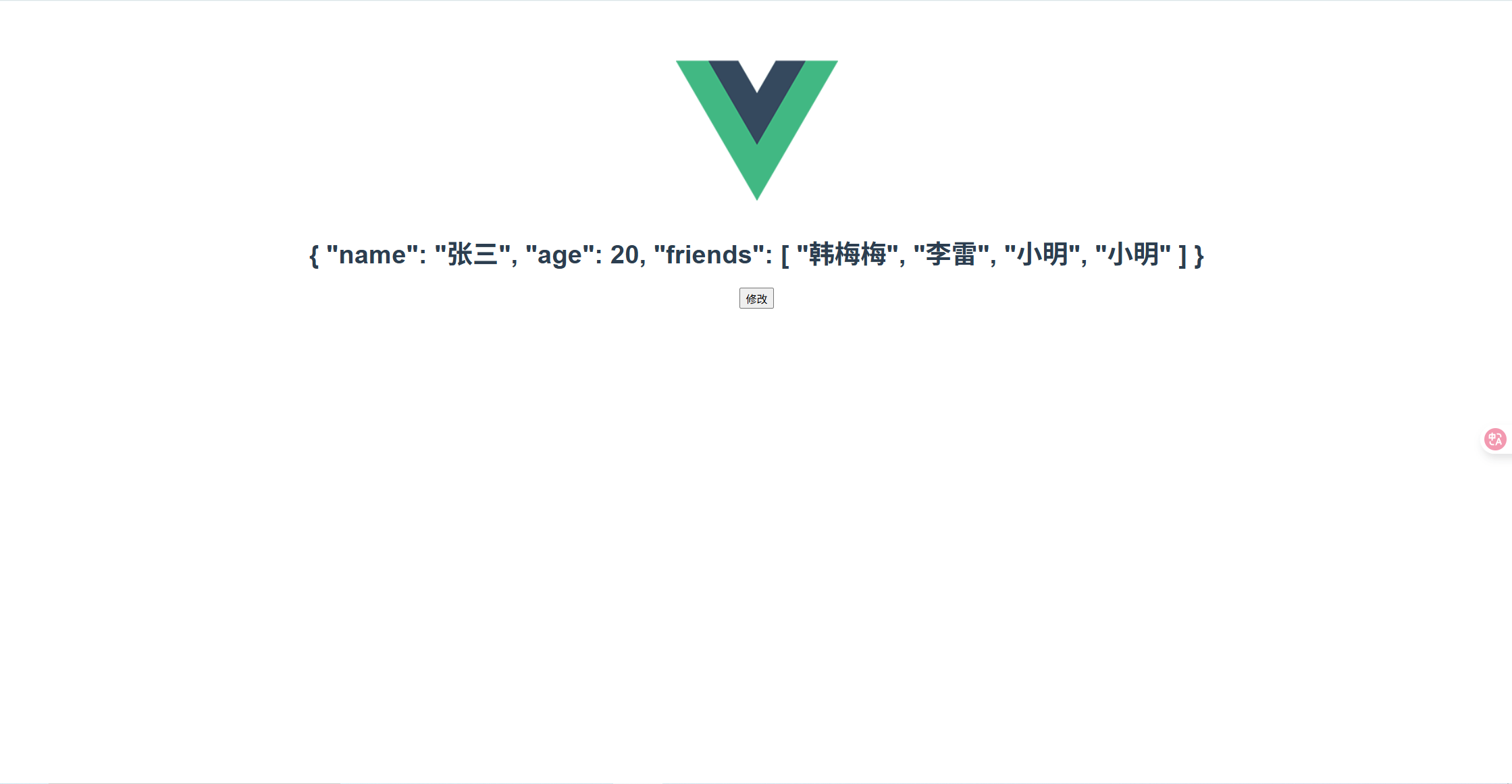
<template><div class="hello"><h1>{{ myData }}</h1><button @click="clickHandler">修改</button></div>
</template><script setup>
import { reactive } from 'vue';const myData=new reactive({name:'张三',age:18,friends:['韩梅梅','李雷']})function clickHandler() { myData.friends.push('小明')myData.age++}</script><!-- Add "scoped" attribute to limit CSS to this component only -->
<style scoped>
h3 {margin: 40px 0 0;
}
ul {list-style-type: none;padding: 0;
}
li {display: inline-block;margin: 0 10px;
}
a {color: #42b983;
}
</style>
shallowReactive只能改变age不能改变friends中的数据
此时不能改变friends中的数据
<template><div class="hello"><h1>{{ myData }}</h1><button @click="clickHandler">修改</button></div>
</template><script setup>
import {shallowReactive } from 'vue';const myData= shallowReactive({name:'张三',age:18,friends:['韩梅梅','李雷']})function clickHandler() { myData.friends.push('小明')
}</script><!-- Add "scoped" attribute to limit CSS to this component only -->
<style scoped>
h3 {margin: 40px 0 0r;
}
ul {list-style-type: none;padding: 0;
}
li {display: inline-block;margin: 0 10px;
}
a {color: #42b983;
}
</style>
此时可以改变age的数值
<template><div class="hello"><h1>{{ myData }}</h1><button @click="clickHandler">修改</button></div>
</template><script setup>
import {shallowReactive } from 'vue';const myData= shallowReactive({name:'张三',age:18,friends:['韩梅梅','李雷']})function clickHandler() { myData.age++
}</script><!-- Add "scoped" attribute to limit CSS to this component only -->
<style scoped>
h3 {margin: 40px 0 0r;
}
ul {list-style-type: none;padding: 0;
}
li {display: inline-block;margin: 0 10px;
}
a {color: #42b983;
}
</style>
2、ref(主要处理基本数据类型,也能处理对象类型)
<template><div class="hello"><h1>{{ count }}</h1><button @click="clickHandler">修改</button></div>
</template><script setup>
import {ref } from 'vue';const count=ref(0)function clickHandler(){count.value++
}</script><!-- Add "scoped" attribute to limit CSS to this component only -->
<style scoped>
h3 {margin: 40px 0 0r;
}
ul {list-style-type: none;padding: 0;
}
li {display: inline-block;margin: 0 10px;
}
a {color: #42b983;
}
</style>
3、readonly和shallowReadonly(非响应式数据)
readonly根属性和内部属性都是只读的

<template><div class="hello"><h1>{{ myData }}</h1><button @click="clickHandler">修改</button></div>
</template><script setup>
import {readonly } from 'vue';const myData=readonly({name:'张三',age:18,friends:['韩梅梅','李雷']})function clickHandler() { myData.age++}</script><!-- Add "scoped" attribute to limit CSS to this component only -->
<style scoped>
h3 {margin: 40px 0 0r;
}
ul {list-style-type: none;padding: 0;
}
li {display: inline-block;margin: 0 10px;
}
a {color: #42b983;
}
</style>
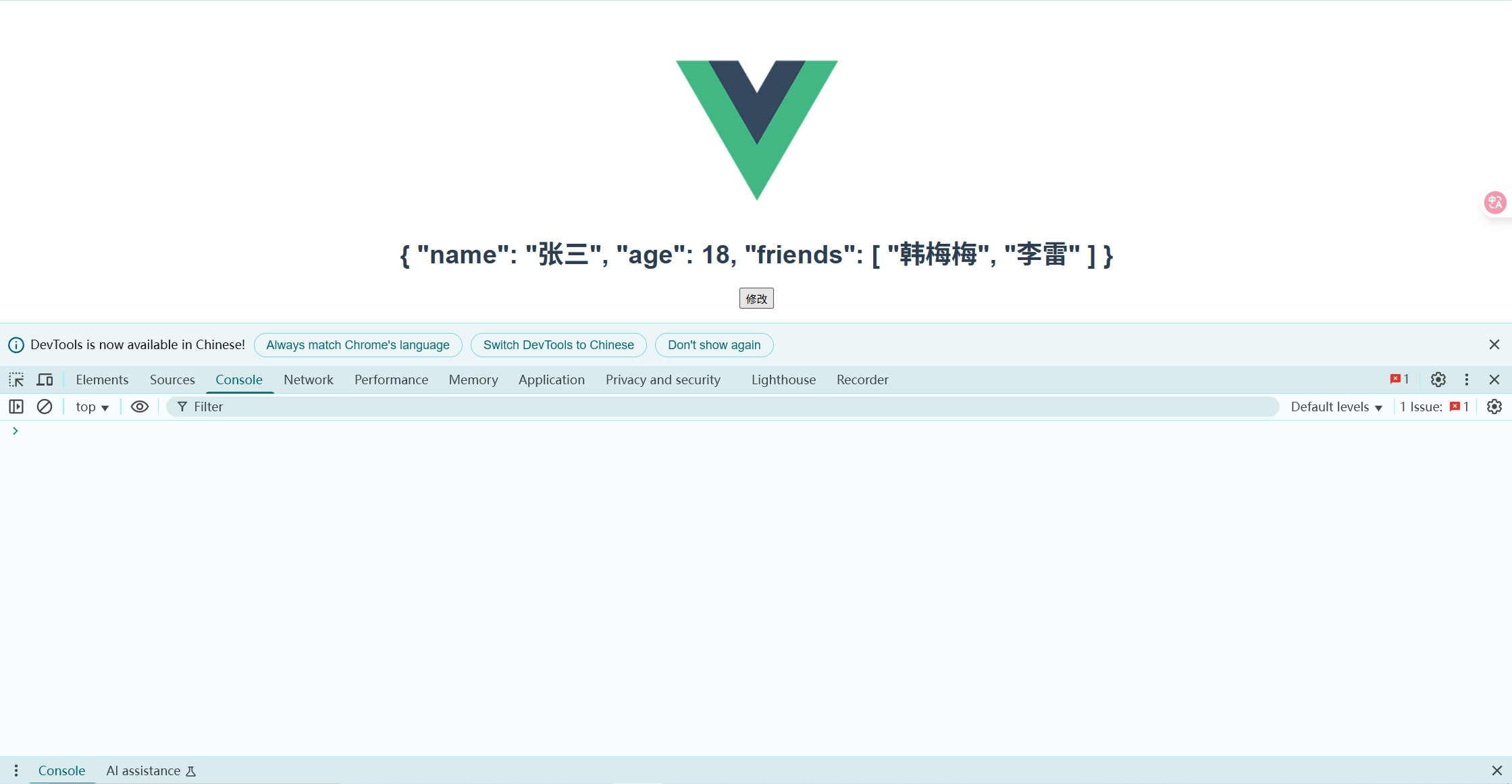
shallowReadonly根属性是只读的内部属性是不读的
访问friends里的数据是没有反应的
<template><div class="hello"><h1>{{ myData }}</h1><button @click="clickHandler">修改</button></div>
</template><script setup>
import { shallowReadonly } from 'vue';const myData=shallowReadonly({name:'张三',age:18,friends:['韩梅梅','李雷']})function clickHandler() { myData.friends.push('王五')}</script><!-- Add "scoped" attribute to limit CSS to this component only -->
<style scoped>
h3 {margin: 40px 0 0r;
}
ul {list-style-type: none;padding: 0;
}
li {display: inline-block;margin: 0 10px;
}
a {color: #42b983;
}
</style>
4、computed
以下例子中渲染三次,但是有缓存,就是只执行了一次
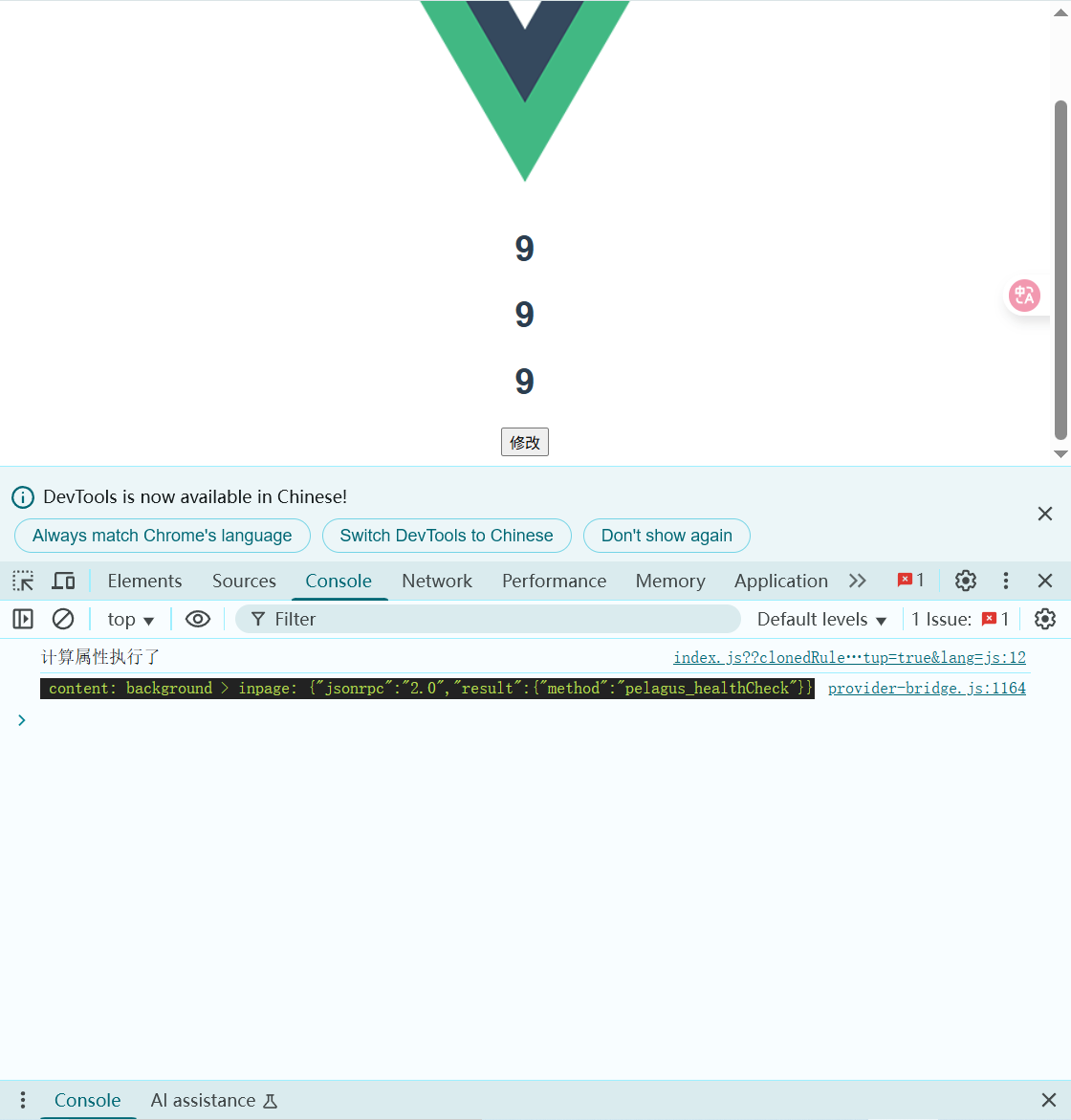
<template><div class="hello"><h1>{{ getLen }}</h1><h1>{{ getLen }}</h1><h1>{{ getLen }}</h1><button @click="clickHandler">修改</button></div>
</template><script setup>
import { computed, ref } from 'vue';const content=ref('这是一段测试内容')
const getLen=computed(()=>{console.log('计算属性执行了')return content.value.length
})
function clickHandler() { content.value+='!'}</script><!-- Add "scoped" attribute to limit CSS to this component only -->
<style scoped>
h3 {margin: 40px 0 0r;
}
ul {list-style-type: none;padding: 0;
}
li {display: inline-block;margin: 0 10px;
}
a {color: #42b983;
}
</style>
5、watch(监听)
watch是一个选项 API,通常在组件的选项中使用。需要显式地指定要监听的数据和回调函数。
可以用来监听ref对象、reactive对象、函数、数组
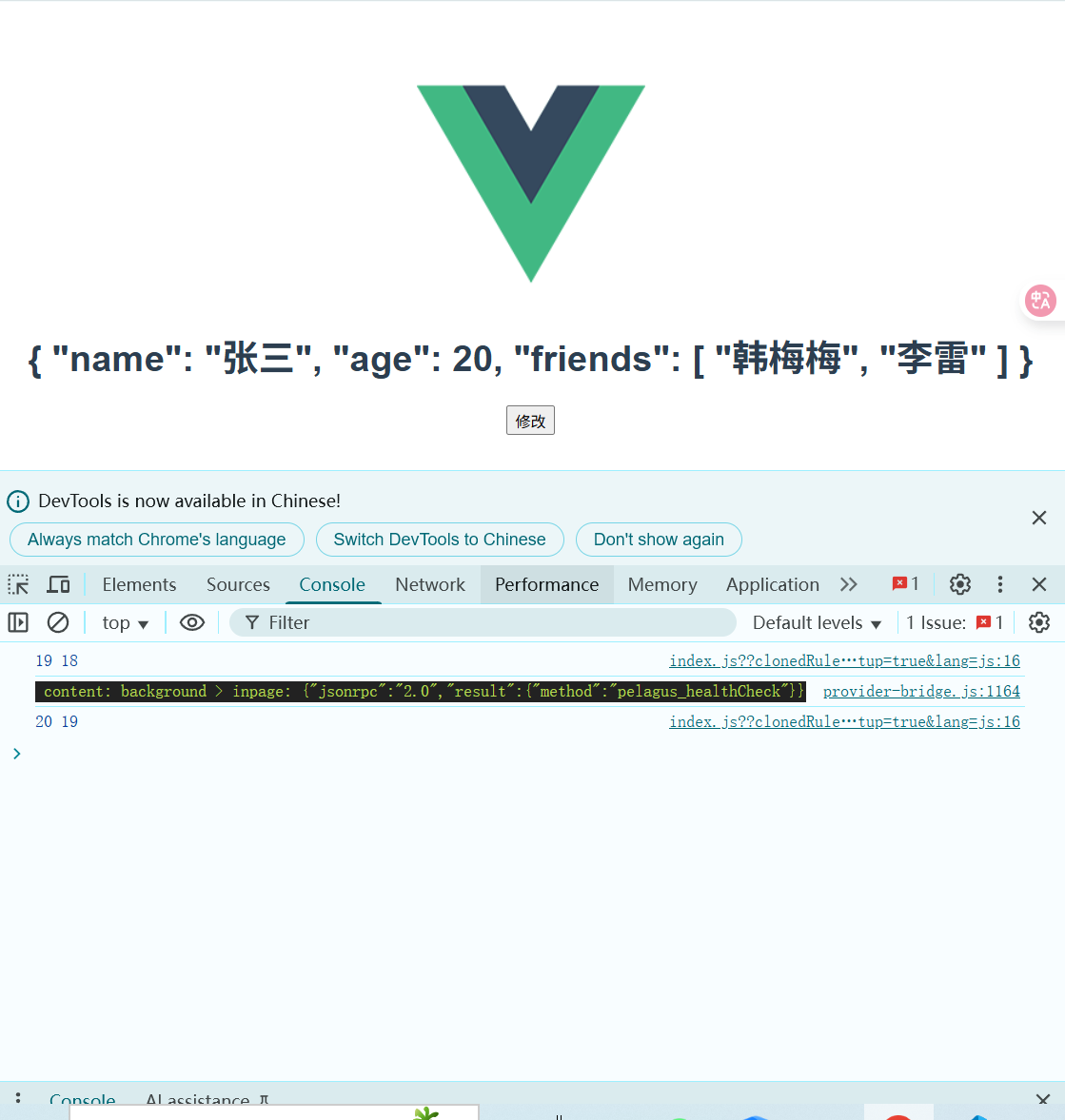
<template><div class="hello"><h1>{{ myData }}</h1><button @click="clickHandler">修改</button></div>
</template><script setup>
import { reactive, watch} from 'vue';const myData=reactive({name:'张三',age:18,friends:['韩梅梅','李雷']})watch(()=>myData.age,(newVal,oldVal)=>{console.log(newVal,oldVal)})function clickHandler() { myData.age++}</script><!-- Add "scoped" attribute to limit CSS to this component only -->
<style scoped>
h3 {margin: 40px 0 0r;
}
ul {list-style-type: none;padding: 0;
}
li {display: inline-block;margin: 0 10px;
}
a {color: #42b983;
}
</style>
6、watchEffect
watchEffect是一个函数 API,在组件的 setup 函数或生命周期函数中使用。不需要显式地指定要监听的数据,它会自动追踪函数内部使用的响应式数据。
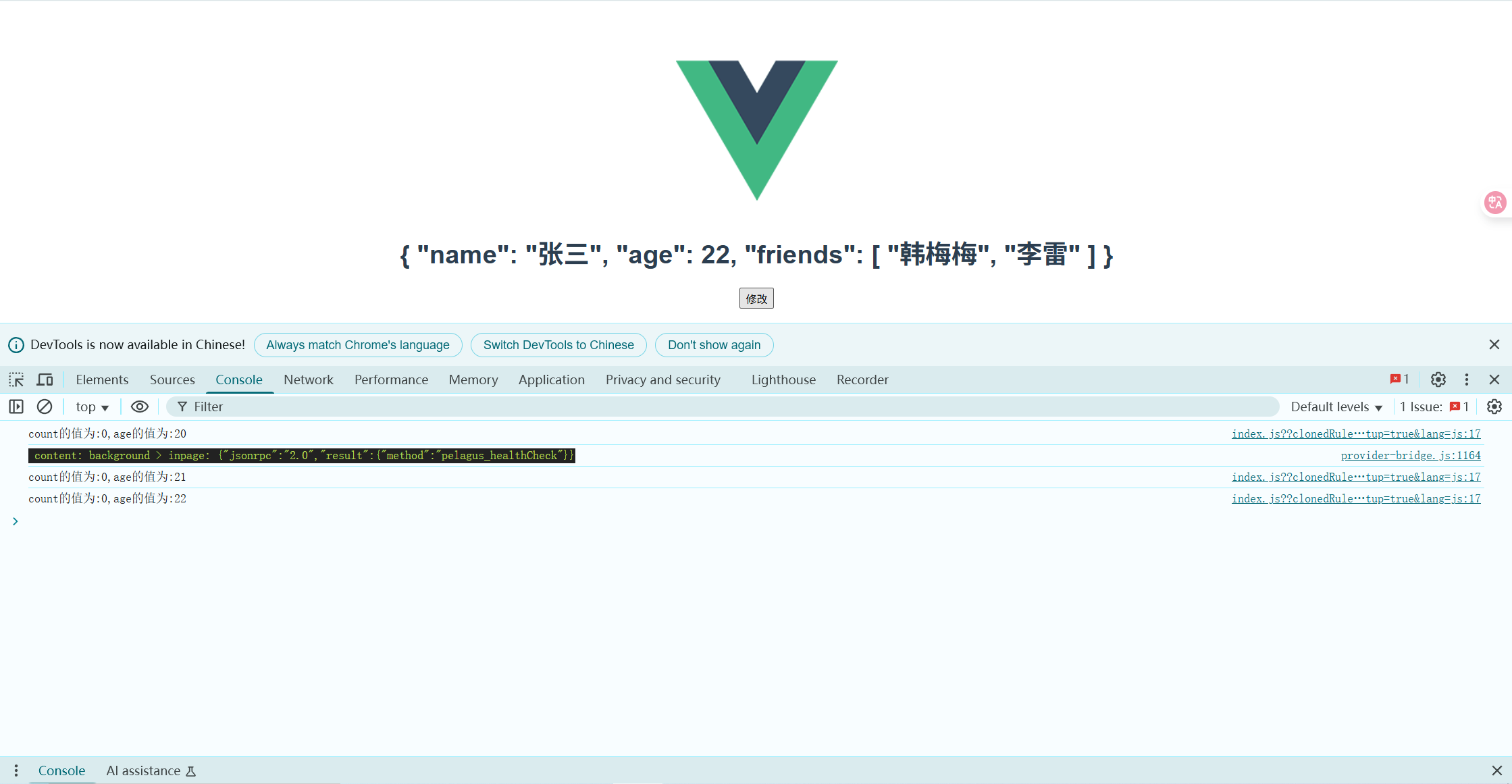
<template><div class="hello"><h1>{{ myData }}</h1><button @click="clickHandler">修改</button></div>
</template><script setup>
import { reactive,ref, watchEffect} from 'vue';const count=ref(0)
const myData=reactive({name:'张三',age:18,friends:['韩梅梅','李雷']})watchEffect(()=>{console.log('count的值为:'+count.value+',age的值为:'+myData.age)})function clickHandler() { myData.age++}</script><!-- Add "scoped" attribute to limit CSS to this component only -->
<style scoped>
h3 {margin: 40px 0 0r;
}
ul {list-style-type: none;padding: 0;
}
li {display: inline-block;margin: 0 10px;
}
a {color: #42b983;
}
</style>


