
1、安装PHP环境
为了方便,使用的PhpStudy。
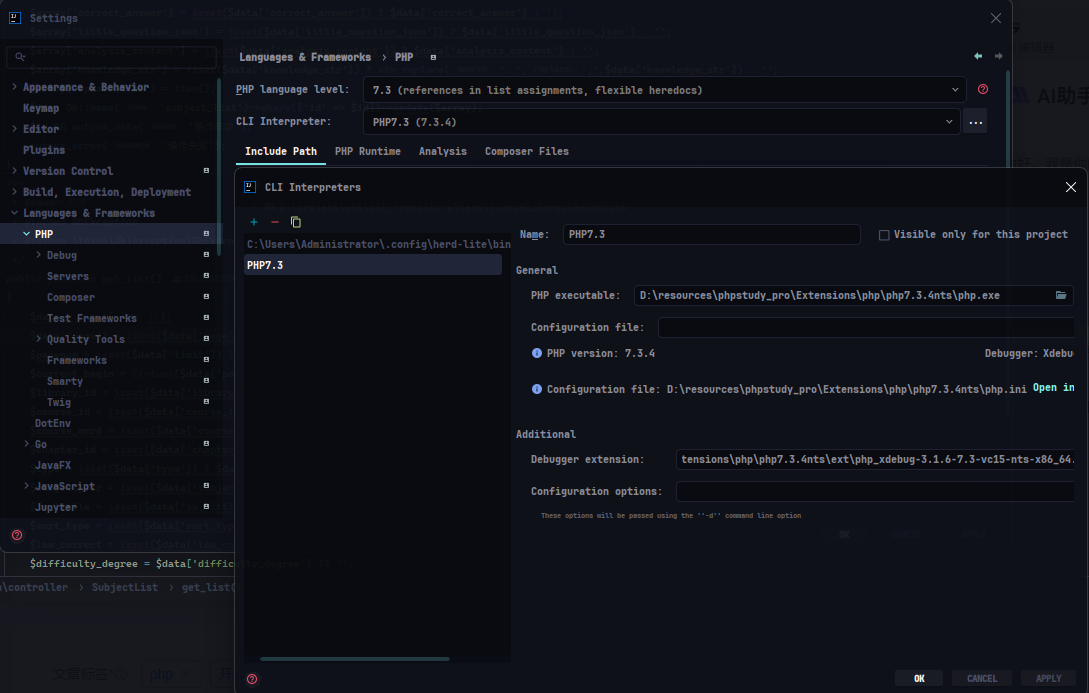
安装路径:D:\resources\phpstudy_pro\Extensions\php\php7.3.4nts
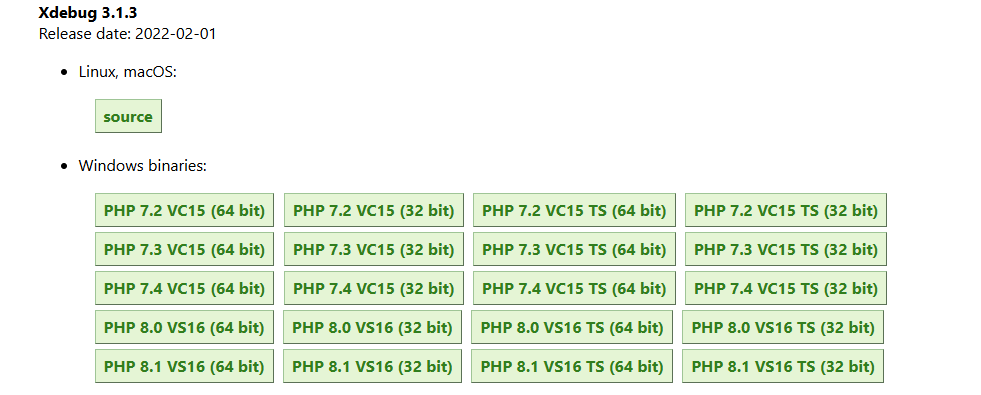
2、下载Xdebug
Xdebug: Downloads
选择对应的版本下载,本次使用的是7.3。
3、配置Xdebug
在php.ini中添加Xdebug配置。
D:\resources\phpstudy_pro\Extensions\php\php7.3.4nts\php.ini
......
[xdebug]
zend_extension=D:\resources\phpstudy_pro\Extensions\php\php7.3.4nts\ext\php_xdebug-3.1.6-7.3-vc15-nts-x86_64.dll
xdebug.mode=debug
xdebug.start_with_request=yes
xdebug.client_port=9003
xdebug.client_host=127.0.0.1
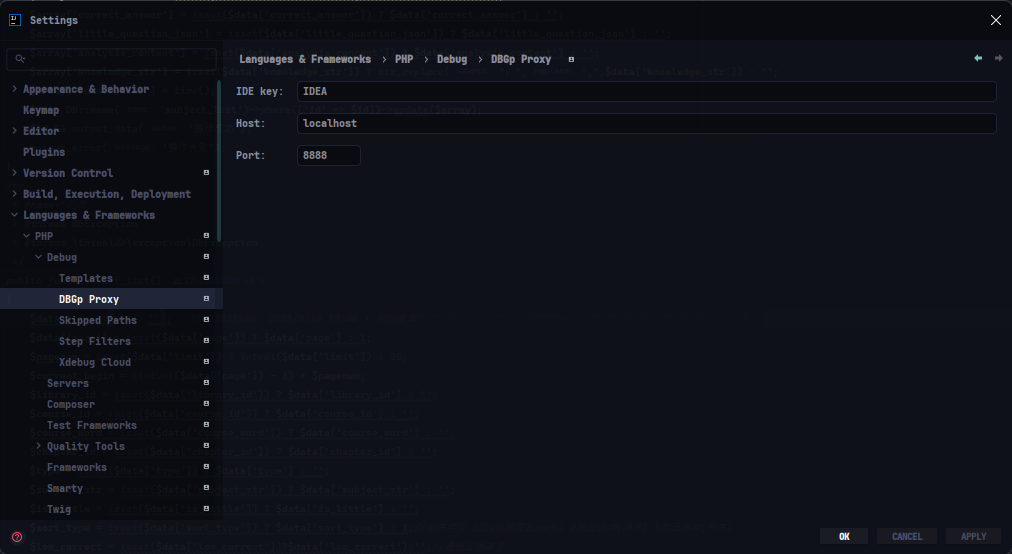
xdebug.idekey=IDEA
4、IDEA配置PHP
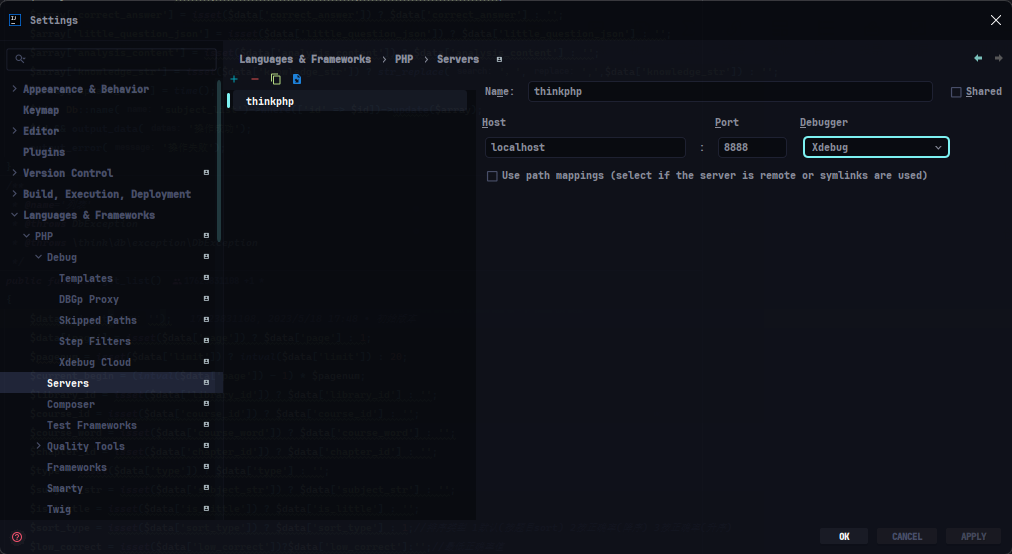
5、配置Xdebug
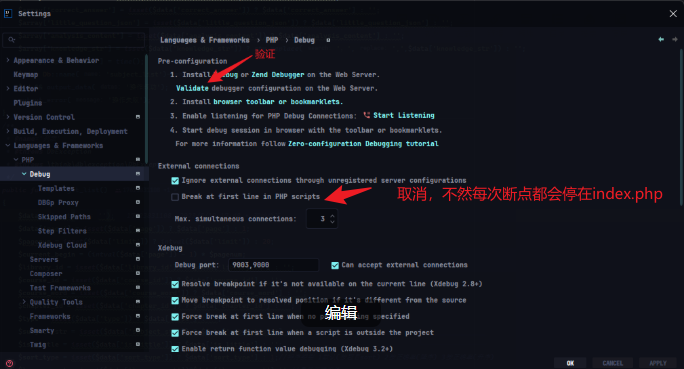
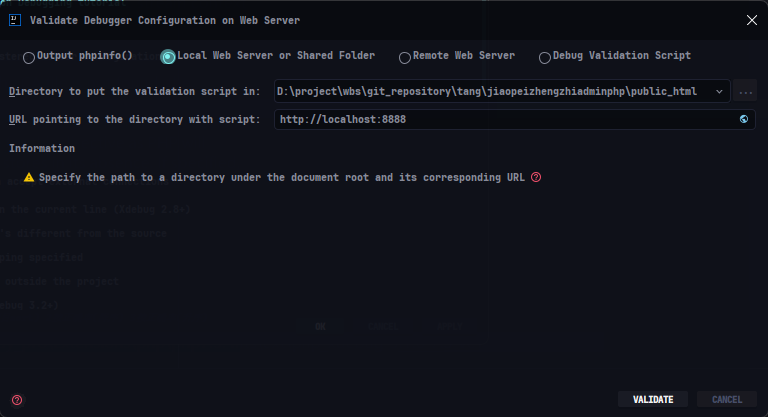
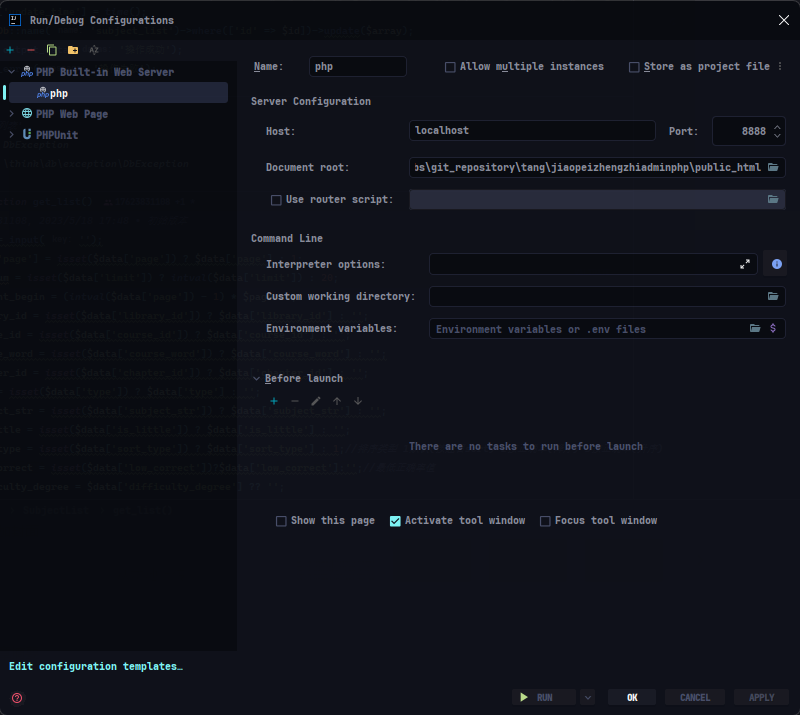
运行:



![[C++] STL数据结构小结](http://pic.xiahunao.cn/nshx/[C++] STL数据结构小结)


